Arcade, 2v2 and single player
Ranked 1v1 isn't the only way to play. The Special Modes button on the main screen opens four more: Arcade (including 2v2), Datacard Quest, Tactical Challenge and Field Training. All of them are open from Tier 1, and none of them touch your Rating Points. Here's what each one does and how to get the most out of it.
Where to find them
On the main screen, tap Special Modes: Arcade and Single Player. You'll see four tiles: Datacard Quest, Arcade, Tactical Challenge and Field Training.
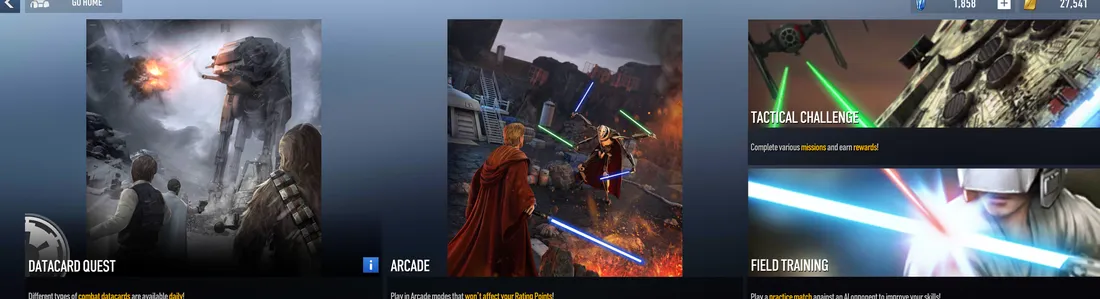
| Mode | What it is | Best for |
|---|---|---|
| Arcade | Rotating PvP modes, including 2v2. No Rating Points won or lost. | Playing with friends, trying new decks against real people |
| Datacard Quest | A daily single-player quest for one era that pays out datacards. | Building your datacard sets |
| Tactical Challenge | Chapters of single-player stages with set goals. | Free Wild Cards and learning efficient play |
| Field Training | A practice match against the AI with any leader. | Testing decks and learning new leaders |
How to play 2v2 right now
2v2 is in Reborn today. It just isn't ranked yet. A ranked 2v2 mode is under discussion with the Reborn team, so for now there are two ways in:
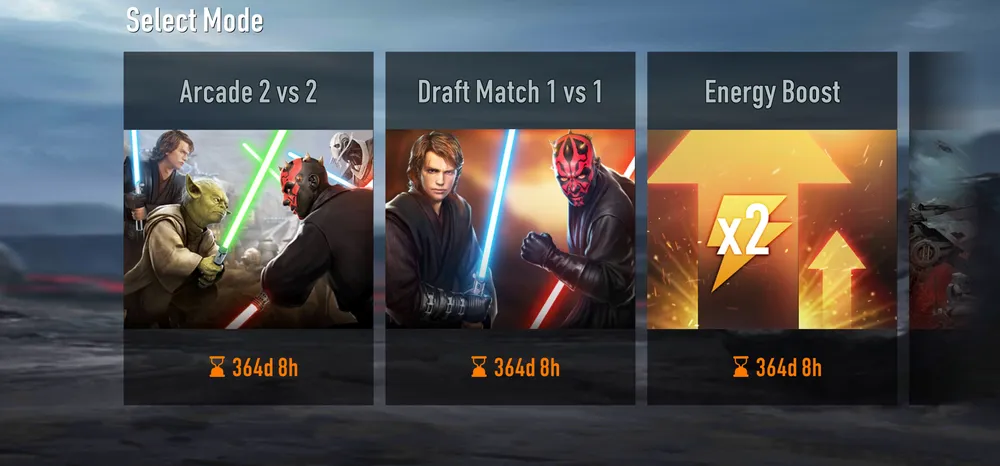
Arcade 2 vs 2
- Tap Special Modes, then Arcade.
- Pick Arcade 2 vs 2 on the Select Mode screen.
- Queue with a random partner, or create a team with a friend first.
Wins and losses here never change your Rating Points, so it is the safest place to learn 2v2.
Guild Friendly Match
- Join a guild. Guilds are open from Tier 1. Search JEDI if you need one.
- Open guild chat and tap Friendly Match.
- Pick 2v2 and your deck, then wait on Standby for guildmates to join.
Card and turret levels are set equal for everyone, so it's pure skill.
New to team play? The 2v2 team play guide covers roles, the best leader pairs and partner combos, and the three starter decks marked 2v2 are built for it.
Arcade modes
Arcade games won't affect your Rating Points, so this is the place to experiment. Modes rotate; right now all four below are running, with timers set for about a year.
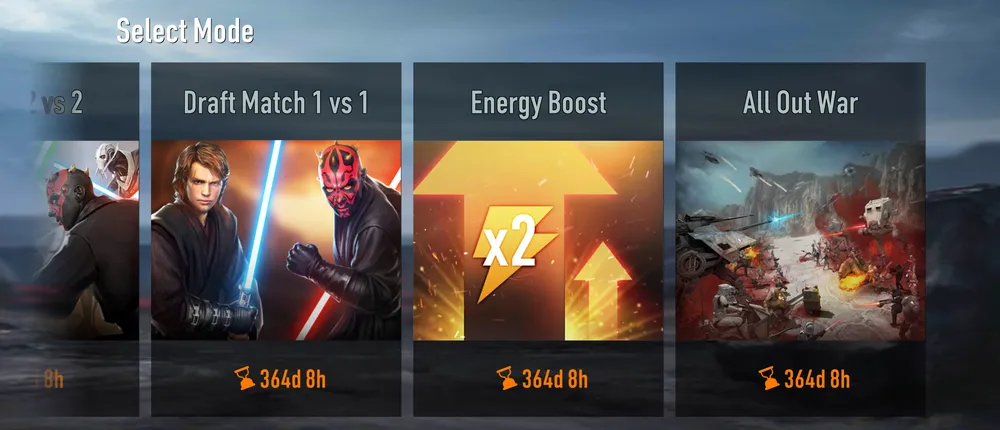
Arcade 2 vs 2
Unranked team battles with a random partner or a friend. See how to play 2v2 above.
Draft Match 1 vs 1
You build a deck by picking from random cards, and card levels are fixed by rarity. Reach 5 wins for the top reward; 2 losses end your run. The best test of pure skill in the game, because nobody has a level advantage.
Energy Boost
Energy refills twice as fast, then four times as fast after 2 minutes, with fixed card levels. Great for trying expensive cards and big combos you can't afford in ranked.
All Out War
An 18-card deck: 14 units or structures you place during a prep phase, then only your 4 support cards once the battle starts. Legendaries and Uniques aren't allowed. Wipe out the enemy or destroy their Shield Generator.
Datacard Quest
Each day features one era, for example a Galactic Empire quest called Protect the AT-AT, where you hold off the enemy while the AT-AT charges its attack. Clear it for datacards for that era.
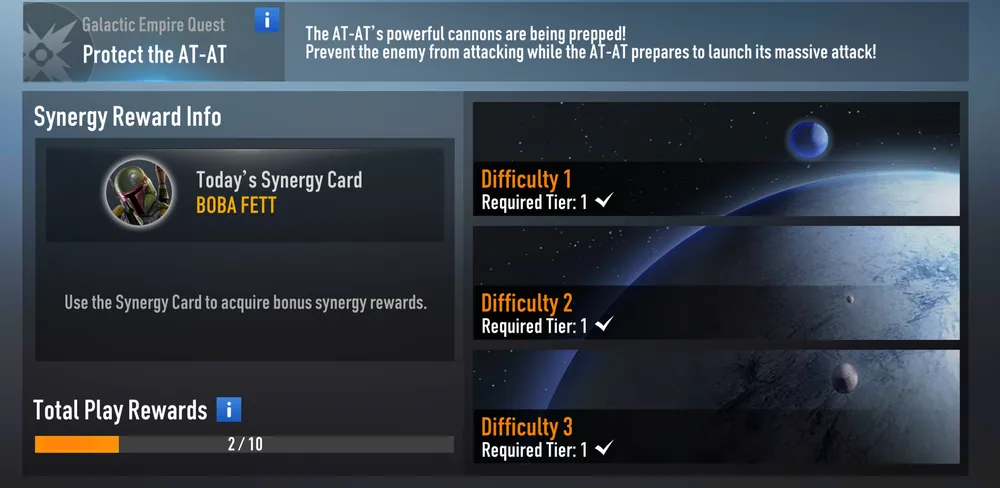
- Three difficulties, all open from Tier 1. Start on Difficulty 1 and step up once you clear it.
- Today's Synergy Card: each day names one card (Boba Fett in the screenshot above). Bring it into the quest for bonus synergy rewards.
- Total Play Rewards: a progress bar that fills as you play quests, with extra rewards at 10.
- 2 runs a day, with extra runs for Crystals. Now that deck slots are free, extra runs are the best place to spend Crystals.
What datacards do and how set bonuses work: Upgrades and resources.
Tactical Challenge
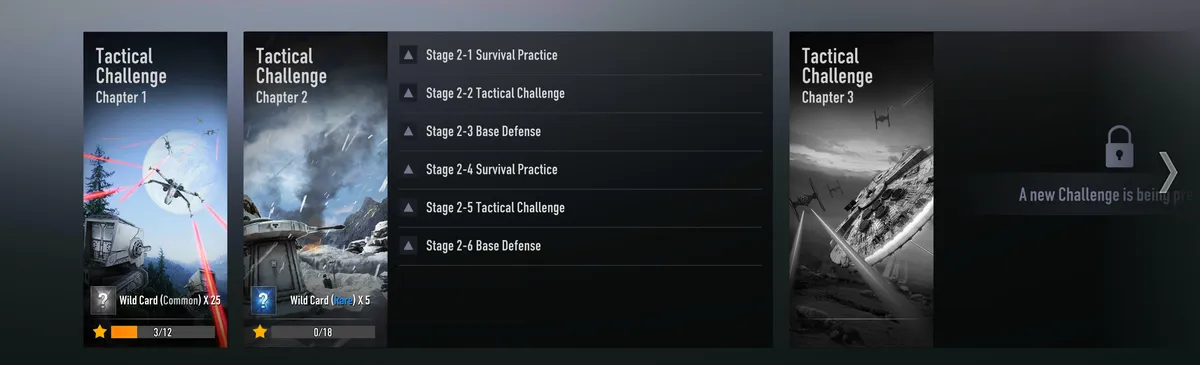
Single-player chapters, each with six stages. Every stage has a goal and earns stars, and filling a chapter's star bar pays a big Wild Card reward.
| Chapter | Stars to fill | Reward |
|---|---|---|
| Chapter 1 | 12 | 25 Common Wild Cards |
| Chapter 2 | 18 | 5 Rare Wild Cards |
| Chapter 3 | - | Shown in game; more challenges are being prepared |
Stages come in three types: Survival Practice (hold out against waves), Tactical Challenge (win under a special condition, such as limited energy) and Base Defense (keep your turrets standing).
Field Training
A practice match against an AI opponent. Pick your deck, choose any leader for the AI, set the difficulty, and play with nothing on the line.
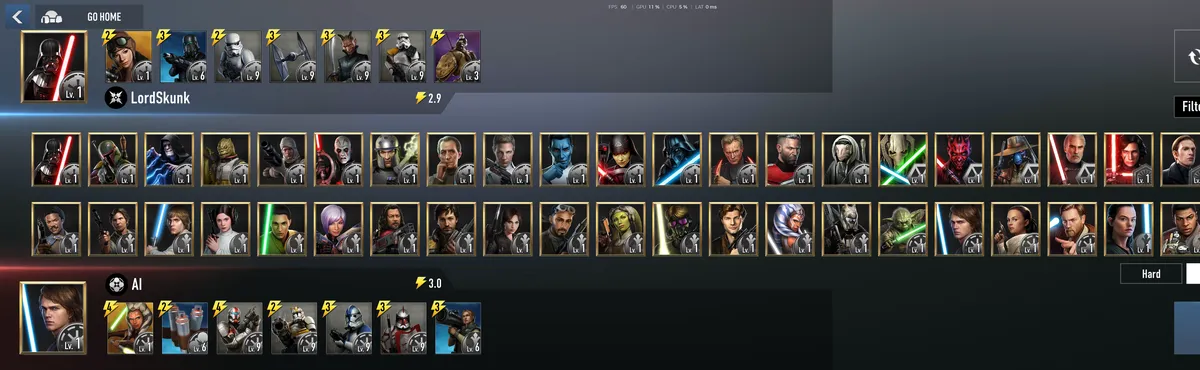
- Every leader is available for the AI, so you can practice against exactly the deck that keeps beating you.
- Difficulty settings include Medium and Hard. Start on Medium with a new deck, then move to Hard.
- Swap Decks and Filter help you set up exactly the matchup you want to practice.
- The AI plays a full deck, so it is a real test of your curve and counters.
Built a new deck? Check it in the deck builder first, then take it into Field Training.